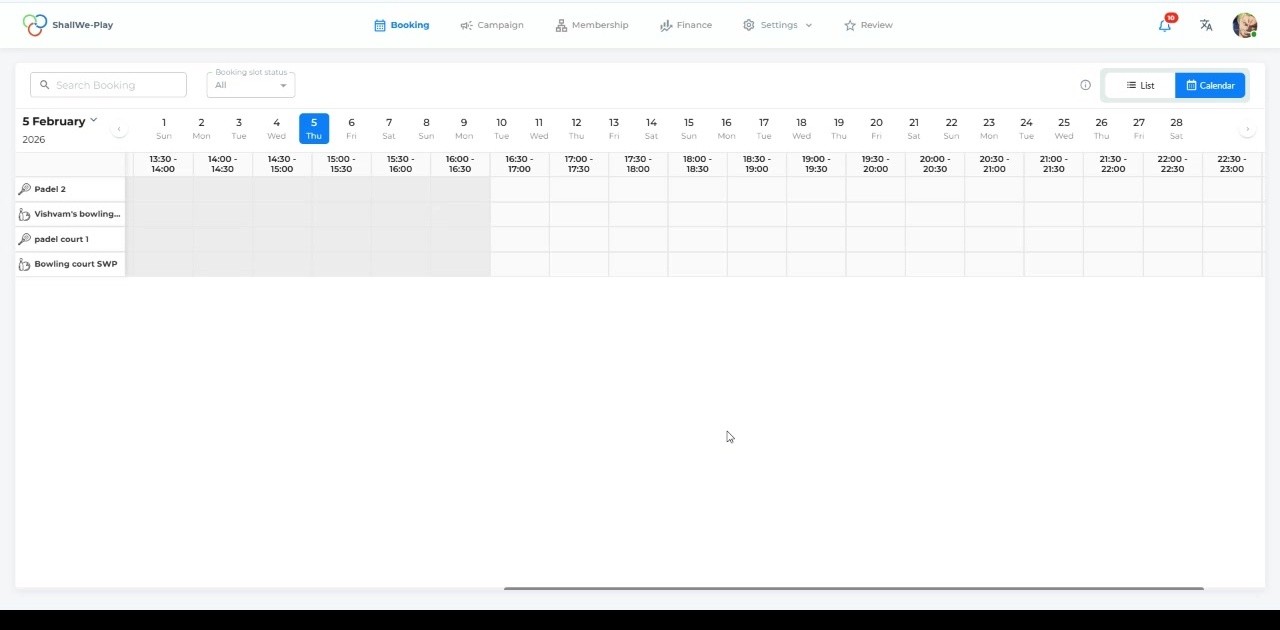
Interactive Calendar View
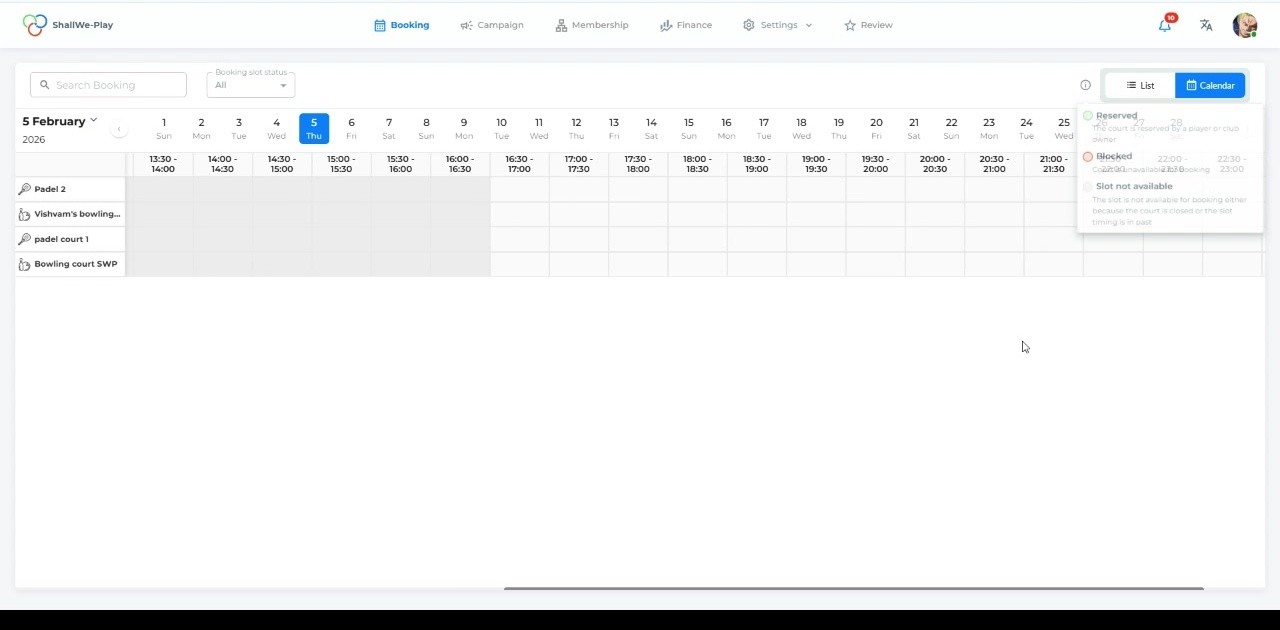
Visualiseer de beschikbaarheid van uw hele faciliteit in één oogopslag met onze intuïtieve kalenderinterface. Wissel moeiteloos tussen de maandkalender en de lijstweergave om alle boekingen, tijdslots en beschikbaarheid van de rechtbank te zien. Navigeer moeiteloos door datums om de perfecte tijd voor uw activiteit te vinden.
Beheer van meerdere sporten
Manage bookings across different sports and activities from a single platform. Whether it's golf, padel, horse riding or any other sport your club offers, organize each activity with dedicated courts and scheduling. Filter and search bookings by sport type to streamline operations.
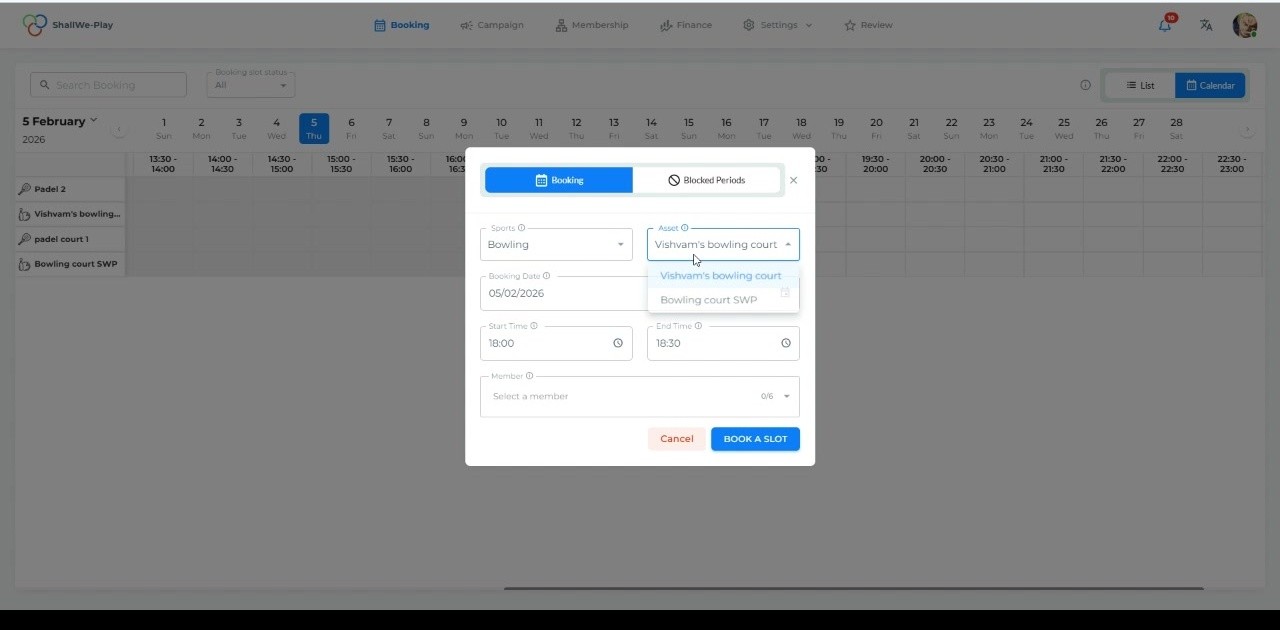
Slim aanmaken van boekingen
Create new bookings in seconds with our streamlined booking model. Select the sport, choose from available assets (courts/lanes), set start and end times, and assign members—all in one simple form. The system automatically validates availability and prevents double bookings.
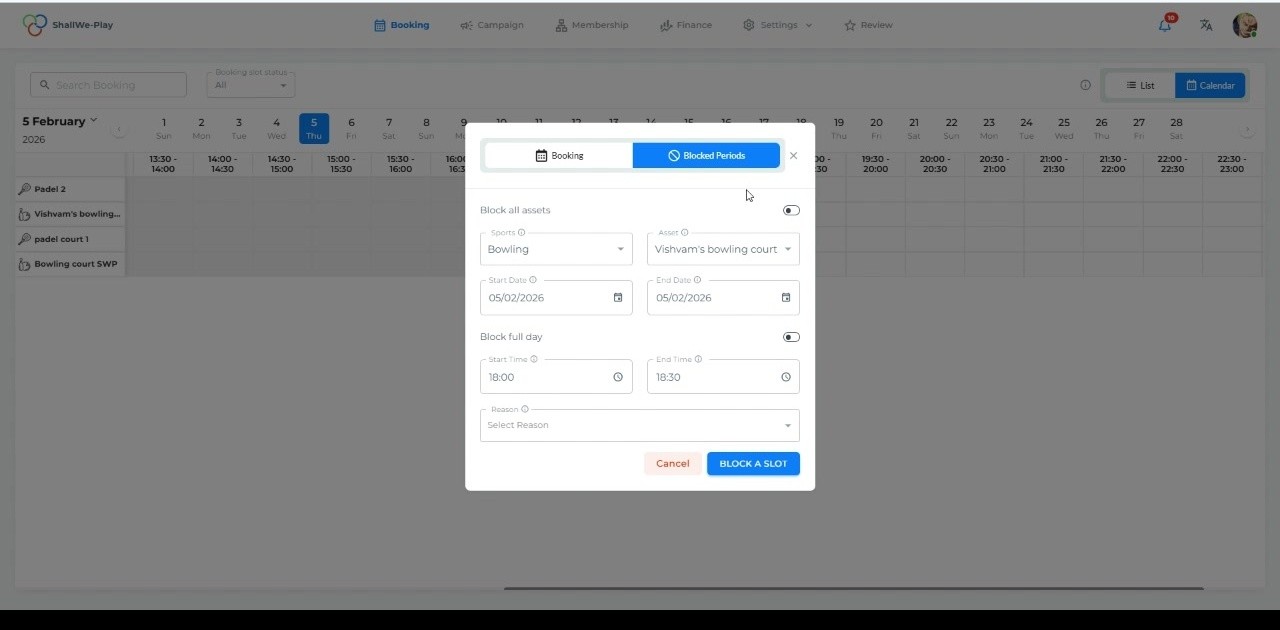
Geblokkeerde Perioden & Onderhoudsmomenten
Protect your schedule with flexible blocking capabilities. Block specific time slots or entire days for maintenance, private events, or special occasions. Choose between blocking individual assets or all facilities at once, with customizable reasons for each blocked period.
Realtime Beschikbaarheid
See exactly which courts are available and when. Time slots are clearly marked with availability status, showing reserved, blocked, and open periods. The color-coded system makes it easy to identify booking opportunities instantly.
Comprehensive Booking Details
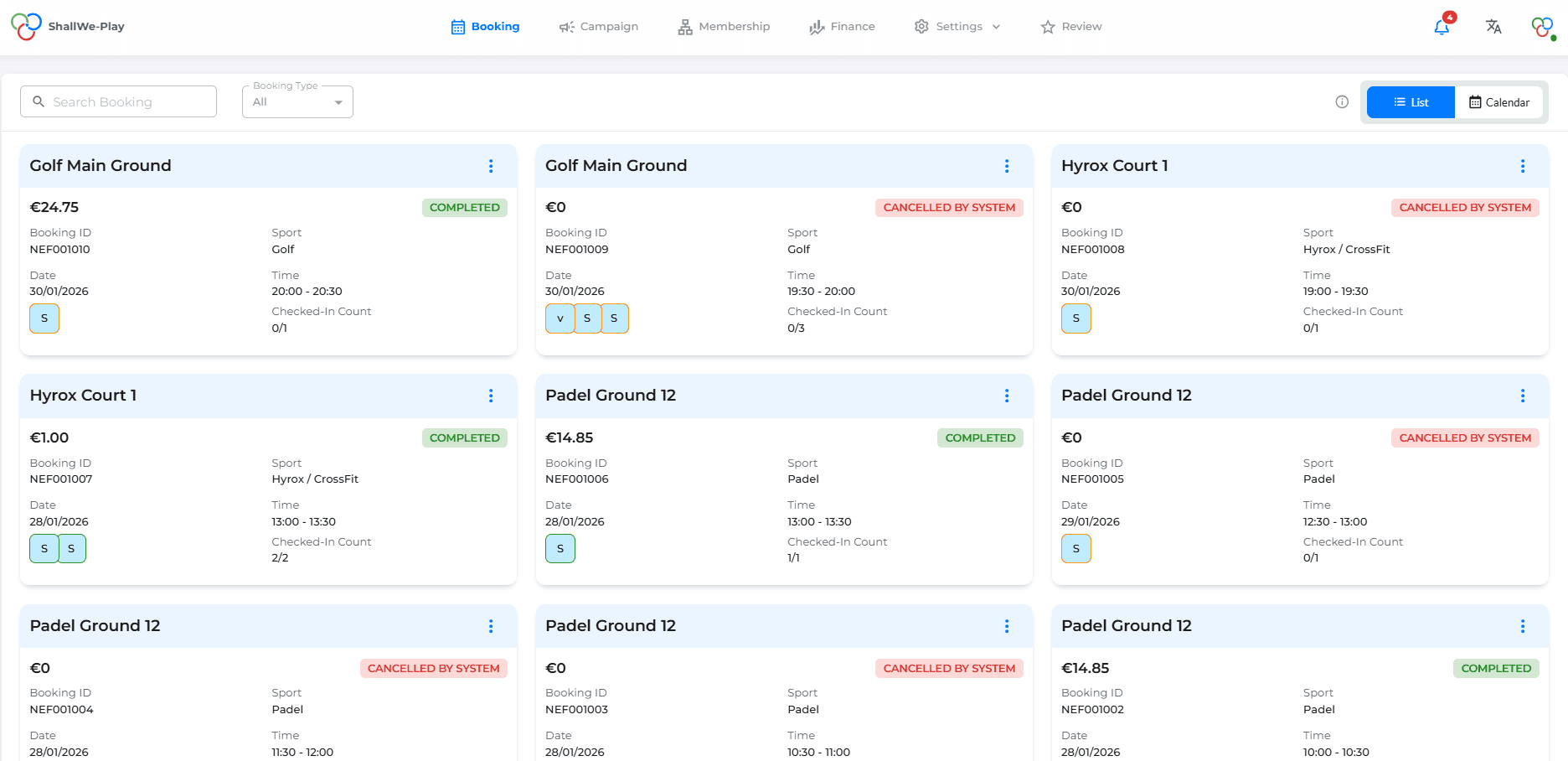
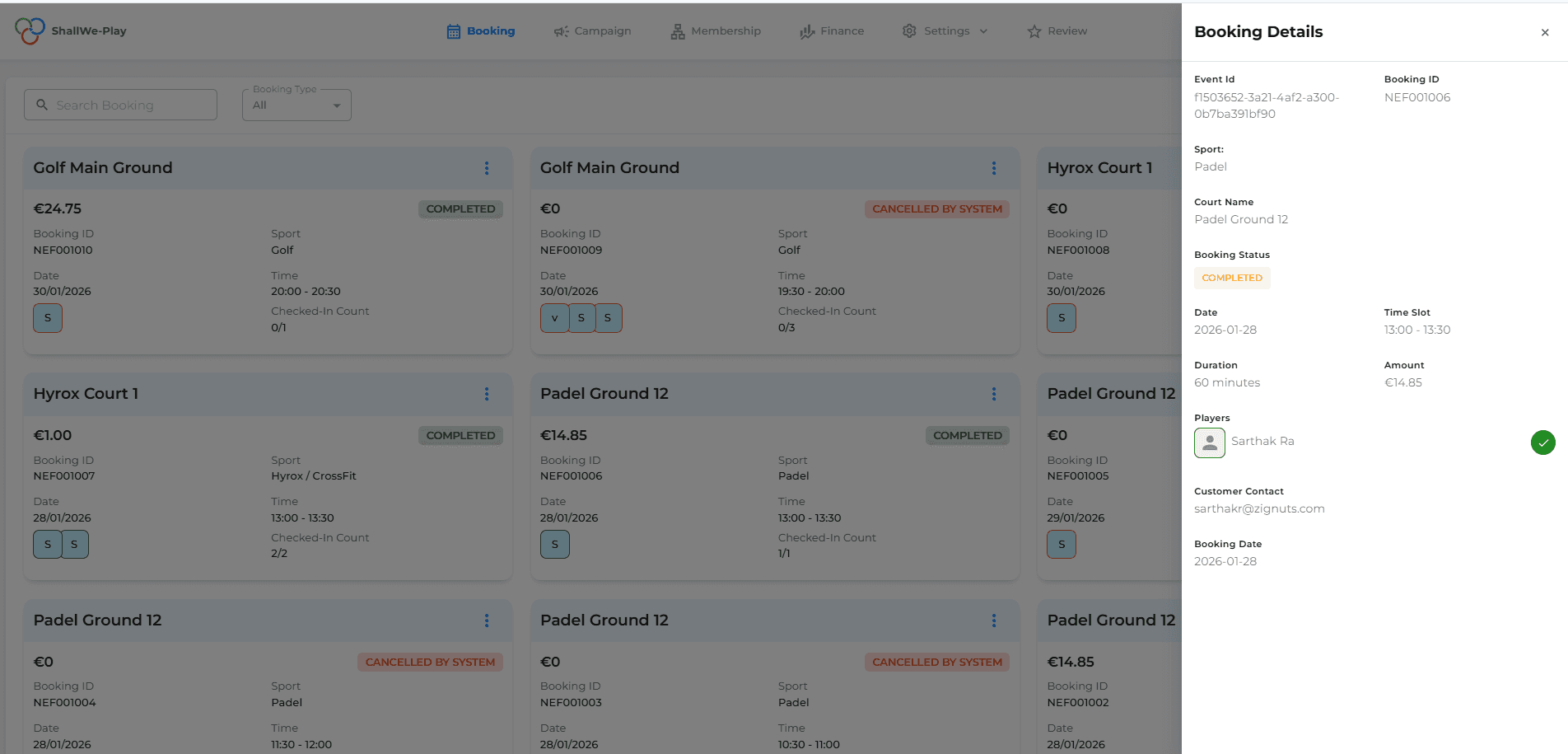
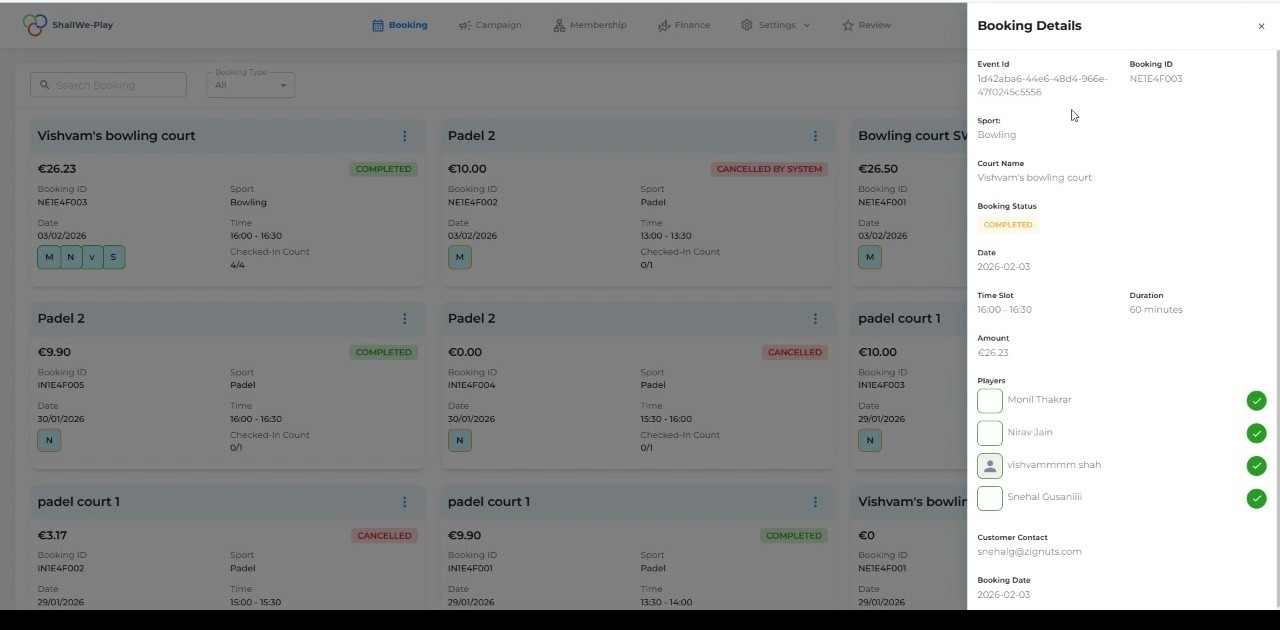
Access complete information for every reservation with detailed booking cards. View booking IDs, event IDs, sport types, court names, status (completed, cancelled, or active), date and time, duration, pricing, player lists with check-in counts, and customer contact information—all in one organized panel.
Flexible List & Calendar Views
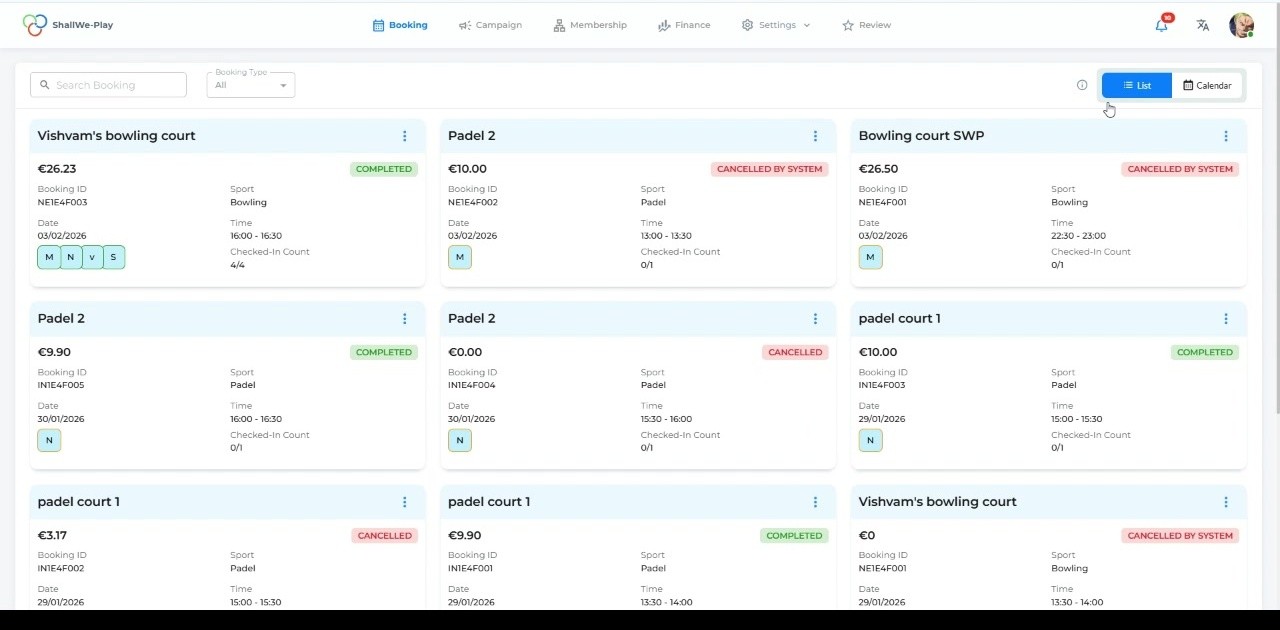
Schakel tussen lijst- en kalenderweergave om aan te sluiten bij uw workflow. De lijstweergave toont reserveringen als gedetailleerde kaarten met volledige informatie en statusbanners, perfect voor het beoordelen van meerdere reserveringen. De kalenderweergave biedt een visuele tijdlijn voor snelle planningsbeslissingen.
Beheer van meerdere sporten
Track all participants in each booking with built-in player management. See player names, check-in status marked with green verification indicators, and maintain accurate attendance records. Ideal for group bookings and team activities.
Status beheer & Badges
Monitor booking lifecycles with clear status indicators. Quickly identify completed bookings (green), cancelled bookings (red), and system-cancelled slots. Filter bookings by status to focus on active reservations or review past activities.
Checkin via personeel
Geef uw medewerkers de mogelijkheid om aankomsten efficiënt te beheren. Medewerkers kunnen spelers direct vanuit het boekingsdetails overzicht inchecken namens leden die hun telefoon misschien zijn vergeten of de voorkeur geven aan persoonlijke incheck. Dit zorgt ervoor dat niemand hoeft te wachten en sessies op tijd beginnen.
Checkin via mobiele app
Give your members the convenience of self-service check-in through the mobile app. Players can check themselves in as they arrive at the facility, reducing front desk queues and providing a seamless, contactless experience. Check-in status syncs instantly across all platforms.